Priya runs a small physiotherapy clinic in Adelaide. She paid for a new website, yet when she searches for her own services she cannot find it. She does not need a bigger budget. She needs a clear SEO checklist and the patience to work through it one step at a time.
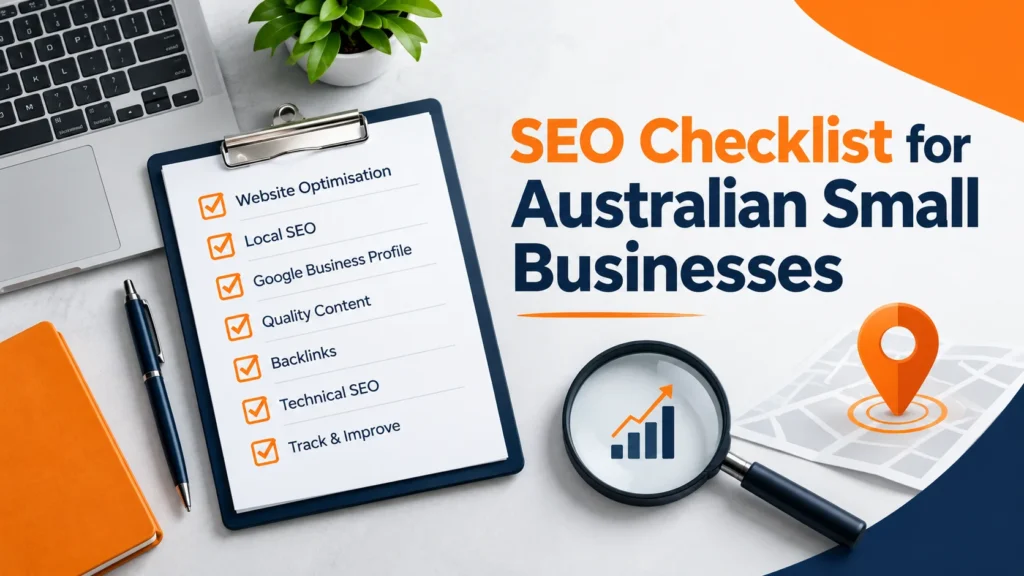
This SEO checklist is written for Australian small business owners, bloggers and freelancers. It covers setup, keywords, technical checks, on-page work, content quality, links and local SEO, with Google’s own guidance behind the key steps. Every business and example in this article is made up, and no tactic here can guarantee a ranking.
Key takeaways
- A good SEO checklist works in order: set up, choose keywords, fix technical issues, improve each page, then earn links and local visibility.
- Google says following its Search Essentials does not mean a page will be crawled, indexed or shown, so treat every step as helping, not guaranteeing.
- It costs nothing to appear in Google Search results, so be careful with anyone who sells guaranteed rankings.
- For Australian businesses, local SEO and a complete Google Business Profile matter as much as the website itself.
- Revisit the SEO checklist every month. SEO is a routine, not a one-off job.
What is an SEO checklist and who needs one in Australia?
SEO, or search engine optimisation, is the process of making your site better for search engines and the people who use them. An SEO checklist is a short, ordered list of the jobs that matter most, so you do not guess what to do next. It is most useful for small teams who do not have a full-time specialist.
Australian sites have a few extra jobs. Many searches are local, such as a service plus a suburb, so your pages should name the cities, suburbs and states you serve. You should also use Australian spelling, such as “optimise” and “organisation”, and keep your business details the same everywhere they appear.
One honest limit comes first. Google’s Search Essentials say that meeting its technical requirements and best practices does not mean a page will be crawled, indexed or served. The SEO checklist below improves your chances and your site quality. It cannot promise a result, and nobody can.
If you want the wider picture of writing for search, our SEO copywriting guide explains how copy and search work together. This article stays practical and focuses on the checks.
The SEO checklist at a glance
The diagram shows the seven steps in order. The table beneath it lists what to check at each stage and a free place to do it.
| Area | What to check | Free tool or guide |
|---|---|---|
| 1. Setup | Search Console, sitemap, search visibility setting | Google Search Console |
| 2. Keywords | One main phrase per page and the search intent behind it | Keyword research guide |
| 3. Technical | HTTPS, mobile layout, speed, broken pages, indexing | PageSpeed Insights |
| 4. On-page | Title, meta description, headings, URL, images, internal links | SEO title generator |
| 5. Content quality | Helpful, accurate, original, easy to read | Readability checker |
| 6. Links | Earn mentions, avoid paid link schemes | Google Search Essentials |
| 7. Local | Business profile, consistent details, reviews | Google Business Profile Help |
Work from the top down. A new site should finish steps 1 to 4 before spending time on links, because links to a page that is not indexed or not useful will not help much.
SEO checklist step 1: set up the basics
Start with the tools that show you how Google sees your site. Sign up for Google Search Console, verify your site and check the Pages report to see which URLs are indexed and which are not. It is free and it is the closest thing to a direct line from Google.
- Submit a sitemap. A sitemap helps Google find your pages. It does not guarantee they will be indexed.
- Check search visibility. On WordPress, go to Settings, then Reading, and make sure “Discourage search engines from indexing this site” is not ticked. This single setting can hide a whole site.
- Install one SEO plugin. Plugins such as Rank Math or Yoast manage titles, descriptions and sitemaps. Use one, not two.
- Check your robots.txt. Make sure it does not block pages you want people to find.
- Use one site version. Pick https and either www or non-www, and redirect the other versions to it.
After you publish a new page, you can check whether Google has it with our URL index checker. If a page is missing, give it time before you change anything, and then use Search Console’s URL Inspection tool.
SEO checklist step 2: choose keywords and search intent
A keyword is the phrase a person types into a search box. Give each important page one main phrase and a few related ones. Then look at what Google already shows for that phrase. If the top results are all guides, a sales page will rarely fit, and the reverse is also true.
Our keyword research guide covers the process, and the article on how to find relevant SEO keywords shows ways to find phrases your customers actually use. For an Australian business, add the place: “emergency plumber Brisbane” is clearer than “emergency plumber”.
- One main phrase per page. Two pages chasing the same phrase compete with each other.
- Match the intent. Is the person trying to learn, compare or buy?
- Start specific. Longer, narrower phrases are usually easier for a new site. Not verified: any exact volume or difficulty figure, because I have no keyword tool data.
- Write for people. Use the phrase naturally and check the balance with a keyword density checker, but do not chase a perfect number.
SEO checklist step 3: fix technical issues
Technical SEO means making sure Google can reach your pages and people can use them. Google describes the technical requirements as few and simple: let Google access the page and publish it in a format it can index. Most sites pass without trying, but it is worth confirming.
- Use HTTPS. Your address should start with https, and every old http page should redirect to it.
- Check the mobile layout. Google mainly uses the mobile version of a page, so text must be readable and buttons easy to tap on a phone.
- Test speed. Run your key pages through PageSpeed Insights. Its Core Web Vitals use thresholds such as 2.5 seconds for the largest content, 200 milliseconds for interaction and 0.1 for layout shift at the time of writing. Check the tool for current figures.
- Fix broken pages. If you delete or move a page, redirect it to the closest useful page instead of leaving a 404.
- Remove duplicates. If two URLs show the same content, choose one and redirect or canonicalise the other.
Speed is a common pain point on WordPress, and images are often the cause. Compress images before upload, use modern formats such as WebP, and avoid loading plugins you do not use. Test again after each change so you know which fix helped.
Not every low score is a crisis. Use the report to find the one or two biggest causes and fix those first, then re-test on a phone as well as a laptop.
SEO checklist step 4: optimise each page
On-page SEO is the work you do inside a page. For every important URL, run through the same short list.
Title and meta description
Write a clear title that names the topic and, where it fits, the place. Around 50 to 60 characters is a common guide so that it is not cut off, but this is not a Google rule, and Google may rewrite titles. Our SEO title generator gives you options to test. For snippets, read how to write a meta description and try the meta description generator.
Headings, URL and images
- Headings: one H1 that states the topic, then H2s for each main part and H3s for details.
- URL: short, readable and in lowercase, such as /seo-checklist/. Our SEO slug generator can tidy a long title. Avoid changing a live slug unless you must.
- Images: compress them, give them clear file names and add alt text that describes the image. The image alt text generator helps if you are stuck.
- Internal links: link to related pages with descriptive anchor text so people and Google can follow your site.
If you write service pages, our website copywriting checklist for small business pairs well with this step, because clear copy and clear structure help each other.
SEO checklist step 5: improve content quality
Technical tidiness will not rescue thin pages. Google’s guidance on helpful, reliable, people-first content asks you to create content for people first, rather than to manipulate rankings. In practice that means answering the question properly, showing real experience and keeping facts accurate.
- Answer early. Put the answer near the top, then explain it.
- Show experience. Add real examples, photos or case notes from your own work. Never invent testimonials or statistics.
- Keep it readable. Short paragraphs and plain words help. Test a draft with the readability checker.
- Be accurate. In Australia, claims about price, results or guarantees must not be misleading under the Australian Consumer Law. Check any claim you cannot prove.
- Update old pages. Fix outdated facts and add the date you last reviewed the page.
A short, honest page that answers one question well usually serves readers better than a long page padded to look thorough. Length helps only when each section adds something real, so cut anything that exists just to fill space.
SEO checklist step 6: earn links honestly
Links from other sites can help Google and people discover you, but this is the step where shortcuts cause harm. Google’s spam policies include link spam, and buying or swapping links to manipulate rankings can lead to a page or site ranking lower.
- Create something worth linking to, such as a useful guide, a free tool or a local resource.
- Ask suppliers, partners, local groups and industry bodies you genuinely work with to mention you.
- List your business in directories that are relevant and real, not in bulk.
- Avoid link packages, private blog networks and anything that promises fast links.
You can read the full list of behaviours to avoid in Google Search Essentials. If an offer sounds too easy, it probably breaks these rules.
SEO checklist step 7: add local SEO for Australia
Take a made-up example: a Melbourne café wants to appear when someone nearby searches for brunch. The website matters, but so does the business profile. Google’s help page on improving your local ranking says local results are based mainly on relevance, distance and prominence.
- Claim and verify your profile in Google Business Profile, then fill in every detail: address or service area, hours, phone number, categories and photos.
- Keep details consistent. Your business name, address and phone number should match across your website and listings.
- Collect real reviews. Google says review count and score can factor into local ranking. Ask happy customers, and never buy or fake reviews.
- Reply to reviews. Helpful replies show you care and help future customers.
- Create location pages only where real. A page for each suburb you truly serve is fine. Copying one page with the suburb name swapped is thin content.
Google also states that there is no way to request or pay for a better local ranking. If someone sells you a guaranteed spot on the map, treat that as a warning sign and keep your effort on accurate details, good service and honest reviews.
A 30-day SEO checklist plan for a small business
You do not need to do everything at once. The graph shows an example split of effort across the checklist areas, and the table turns it into four weeks. Both are my own planning assumptions for a small site, not measured results.
| Week | Focus | Tasks | Time (my estimate) |
|---|---|---|---|
| Week 1 | Setup | Verify Search Console, submit the sitemap, check search visibility, set up the SEO plugin | 2 to 3 hours |
| Week 2 | Keywords | List your key pages, give each one a main phrase, check search intent | 3 to 4 hours |
| Week 3 | Technical and on-page | Test speed and mobile, fix titles, descriptions, headings, URLs and alt text | 5 to 8 hours |
| Week 4 | Local and links | Complete the business profile, ask for reviews, plan honest link earning | 3 to 4 hours |
If you have less time, do weeks 1 and 3 first. Setup and on-page fixes often give a small site the most visible improvement for the least effort, though I cannot promise a specific outcome.
Common SEO checklist mistakes to avoid
- Skipping setup. Writing pages before checking that Google is allowed to index the site.
- Chasing volume. Targeting huge keywords before the site has any track record.
- Keyword stuffing. Repeating the phrase until the text reads badly.
- Copying competitors. Rewriting another page without adding anything new.
- Editing too often. Changing titles every few days, so you never learn what worked.
- Ignoring mobile. Reviewing the site only on a laptop.
- Believing guarantees. Paying for promised page-one results.
How to use this SEO checklist every month
Treat the SEO checklist as a routine. Once a month, open Search Console and look at which pages get impressions and clicks, which are not indexed and which have errors. Pick the two or three pages with the most potential and improve them: a clearer title, a better answer, a stronger example.
Keep a simple log of what you changed and the date. SEO changes can take time to show, so a record stops you from guessing. To judge results, compare clicks and impressions month to month rather than checking rankings every day.
How to tell if your SEO checklist is working
Results from SEO are rarely instant, so measure the right things. Search Console’s Performance report shows four useful numbers: impressions (how often your pages appeared), clicks, click-through rate and average position. Compare the same pages month to month and ignore day-to-day noise.
- Indexed pages: are your important pages in the index, and are the errors falling?
- Impressions: rising impressions suggest Google is showing more of your pages.
- Clicks and click-through rate: a better title and description may lift these without a change in position.
- Enquiries: the real goal. Track calls, forms and bookings, not only traffic.
Do not judge the SEO checklist by one number or one week. Rankings move for reasons outside your control, including competitors and Google’s own updates, so look for steady improvement in indexed pages, impressions and enquiries over several months.
If a page gets impressions but few clicks, rewrite its title and description. If it gets clicks but no enquiries, the page itself may not answer the visitor’s question, so improve the content or the call to action. Each result points to a different fix, which is why a steady SEO checklist beats random tweaks.
Frequently asked questions about the SEO checklist
What is an SEO checklist?
An SEO checklist is an ordered list of tasks that help search engines find, understand and show your pages. This one covers setup, keywords, technical checks, on-page work, content quality, links and local SEO.
What is the first step in an SEO checklist?
Set up Google Search Console and check that your site is allowed to be indexed. On WordPress, confirm the search visibility setting is not blocking search engines.
How long does SEO take to work in Australia?
I cannot give a reliable number. It depends on your competition, your site and your content, and Google does not guarantee a timeline. Track progress monthly in Search Console. Not verified: any fixed number of weeks.
Can I do SEO myself?
Yes, many basics are manageable for a small business, such as setup, titles, clear content and a complete business profile. Hire help for complex technical problems, and be careful with anyone who guarantees rankings.
Is SEO free?
Google says it costs nothing to appear in its search results. You may pay for tools, hosting or help, but you do not pay Google to rank organically.
How many keywords should I use on one page?
Use one main phrase and a few closely related ones, written naturally. There is no verified perfect number, so focus on clear writing and match what searchers want.
Does local SEO matter for Australian businesses?
If you serve customers in specific places, yes. Google says local results are based mainly on relevance, distance and prominence, so complete your Business Profile, keep your details consistent and ask for real reviews.
How often should I review my SEO checklist?
A monthly review is a sensible routine for a small site. Do a bigger check each quarter, or after a redesign, a move to a new domain or a big change in traffic.
Final thoughts on your SEO checklist
A practical SEO checklist for an Australian business comes down to a few honest habits: set up Search Console, choose clear keywords, fix technical problems, write helpful pages, earn links the right way and look after your local profile. Do them in order, review them monthly and keep your expectations realistic, because no checklist can promise a ranking.
Ready for the next step? Start with the setup tasks this week, then use our guides to improve titles, descriptions and images one page at a time. Priya’s clinic, like any real business, will improve through steady work rather than a single trick.
Last updated on 30 October 2026. Sources used: Google Search Essentials, Google guidance on helpful content, Google Business Profile Help, Google Search Console and PageSpeed Insights.

- I’m Saba Sheikh, a self-employed copywriter and SEO content writer specializing in website copy, landing pages, SEO blog writing, product descriptions, and email copywriting. I create search-optimized, conversion-focused content that helps startups, small businesses, and eCommerce brands grow their online presence and attract more customers.