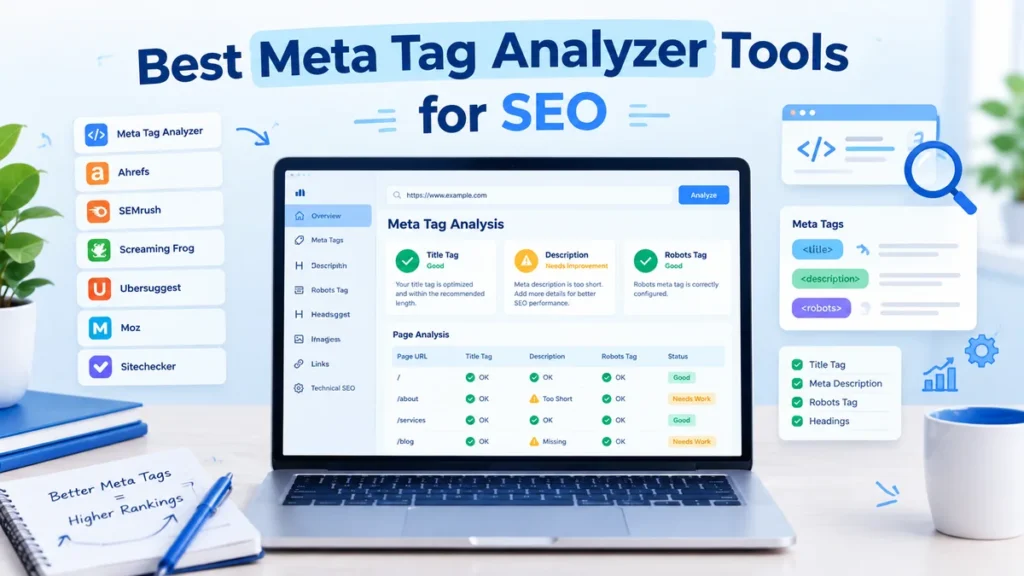
A meta tag analyzer reads the hidden HTML of a page and shows whether your title, description and other metadata are present and well written. Search engines and people both use this information to understand what a page is about. In this guide you will learn what a meta tag analyzer checks, which tools are worth using, how to run a check step by step, and how to fix the most common errors.
What Is a Meta Tag Analyzer?
A meta tag analyzer is a tool that scans a web page, reads the metadata in its HTML head, and reports problems such as missing, duplicate or badly written tags. Some tools check one page at a time. Others crawl your whole website and give you a list of pages that need fixing.
Meta tags are not visible on the page itself. They sit in the page’s source code, so most visitors never see them. A meta tag analyzer makes them visible and flags issues in plain language.
Why Meta Tags Matter for SEO
Meta tags help search engines and users understand a page, and they influence how your result looks in search. Google explains that it creates title links from the page’s title element and other signals, and that clear titles help people decide what to click.
Meta descriptions work differently from what many people expect. According to Google’s guidance on snippets, Google sometimes uses the meta description to build the snippet, but only when it gives a more accurate summary than the page content. Google also says there is no limit on description length, though the snippet is shortened to fit the device width.
One important point: a meta tag analyzer cannot guarantee rankings or traffic. It finds technical and on-page issues. Rankings still depend on content quality, links, relevance and many other factors.
What Can a Meta Tag Analyzer Check?
Title Tags
The title tag is the page’s main label. An analyzer checks if it is missing, empty, duplicated across pages, or very short or very long. Screaming Frog, for example, reports missing, duplicate, long, short and multiple titles.
Example (illustrative):
- Weak: Home
- Better: Meta Tag Analyzer: Check Titles and Descriptions Free
Meta Descriptions
The analyzer checks whether each page has a unique description that summarizes the page. Google’s own examples show that a short, vague description such as a bare product name is weaker than a clear sentence describing what the page offers.
Example (illustrative):
- Weak: SEO tool
- Better: Paste a URL to check its title, meta description and robots tags, and get clear fixes for each issue.
Tools use their own length limits to flag descriptions. Treat these as helpful guides, not as Google ranking rules.
Robots Meta Tags
A robots meta tag tells search engines how to treat a page. Google’s documentation shows that <meta name="robots" content="noindex"> tells search engines not to show the page in results. A common mistake is leaving noindex on an important page after a website redesign. Analyzers catch this quickly.
Canonical Tags and Other Metadata
Canonical tags point to the preferred version of a page when similar versions exist. Screaming Frog has a Canonicals view for missing or conflicting canonicals. Some tools also check Open Graph tags, which control how a page looks when shared on social platforms.
Best Meta Tag Analyzer Tools
These tools are described using information from their official websites. Features and limits can change, so check each site before you decide.
1. Screaming Frog SEO Spider
A desktop crawler. According to its official site, you can crawl up to 500 URLs for free, and the free version includes analysis of page titles, meta data and meta robots directives. Best for: auditing a whole small or medium website in one crawl. Screaming Frog SEO Spider
2. Ahrefs Webmaster Tools (Site Audit)
Ahrefs says Webmaster Tools is free for websites you own and verify. Its Site Audit crawls your site and reports issues like missing title tags and meta descriptions, sorted by importance with fix advice. Ahrefs also offers a free SEO toolbar for checking on-page issues of a single page. Best for: site owners who want a free, regular site health check. Ahrefs free tools overview
3. Google Search Console (URL Inspection)
Google says the URL Inspection tool shows information about Google’s indexed version of a page and lets you test whether a URL might be indexable. It also shows the Google-selected canonical. Best for: checking how Google actually sees a specific page. It does not rewrite your meta tags for you.
4. WordPress SEO plugins such as Yoast SEO
These let you edit the meta description for each page inside WordPress. Ahrefs’ own help article uses Yoast SEO as an example of adding a meta description. Best for: fixing issues after a tool finds them.
5. Manual check with page source
Open the page, right-click and choose View Page Source, then search for “title” and “description”. It is free and works for any single page.
Free vs. Paid Meta Tag Analyzer Tools
Free tools are enough for most small sites. Screaming Frog’s free version covers up to 500 URLs, and Ahrefs Webmaster Tools is free for verified sites you own.
Paid options become useful when you manage large websites, many client sites, or need extra features such as scheduling and integrations. Screaming Frog’s paid licence removes the 500 URL limit and adds features like scheduling and Search Console integration. Check current prices on the official pages, because they change.
How to Check Meta Tags Step by Step
- Pick the page or site you want to check.
- Run it through your chosen tool (a crawler for a whole site, or a single-page check).
- Open the report for titles and meta descriptions.
- Note pages that are missing a tag, have duplicates, or look too long or too short.
- Check robots and canonical tags on important pages.
- Fix issues in your CMS or SEO plugin.
- Re-run the check, and use Search Console to confirm Google can see the updated page.
How to Fix Common Meta Tag Errors
- Missing title or description: Write a unique one for each indexable page. Ahrefs’ help guide says each indexable page should have its own description.
- Duplicate titles: Make each title describe that page specifically.
- Descriptions that are just keywords: Google’s examples show that a clear sentence works better than a list of keywords.
- Accidental noindex: Remove it from pages you want in search results.
- Conflicting canonicals: Point each page to the correct preferred URL.
Writing better titles is a skill. Our headline analyzer can help you test title ideas, and our CTA generator can give you action phrases for descriptions.
Meta Tag Analyzer vs. Full SEO Audit Tool
A meta tag analyzer focuses on metadata. A full SEO audit tool also checks broken links, redirects, page speed, images and site structure. Tools like Screaming Frog and Ahrefs Site Audit do both. If you only need a quick check of one page, a simple analyzer is enough. If you manage a growing website, use a crawler.
Meta Tag SEO Best Practices
- Give every important page a unique title and description.
- Write for people first, then check the result with a tool.
- Put the main topic of the page near the start of the title.
- Use the description to explain what the visitor will get.
- Do not treat any length number as a Google rule.
- Review metadata after redesigns, migrations and plugin changes.
If you also write the page content, our SEO blog writing case study and copywriting guide for beginners show how good content and good metadata work together.
Frequently Asked Questions
1. What is a meta tag analyzer?
It is a tool that reads a page’s HTML metadata, such as the title, description, robots and canonical tags, and reports missing or weak elements.
2. Is there a free meta tag analyzer?
Yes. Screaming Frog’s free version crawls up to 500 URLs, and Ahrefs Webmaster Tools is free for websites you verify as yours.
3. How do I check the meta tags of a website?
Use a crawler or analyzer tool, or open the page source in your browser and search for the title and description tags.
4. Can meta tags improve Google rankings?
Not by themselves. Clear titles and descriptions help search engines and users understand your page and can improve how your result looks, but they do not guarantee higher rankings.
5. How do I check a meta description?
Check the page source or run the page through an analyzer, then confirm that it is unique, accurate and matches the page content.
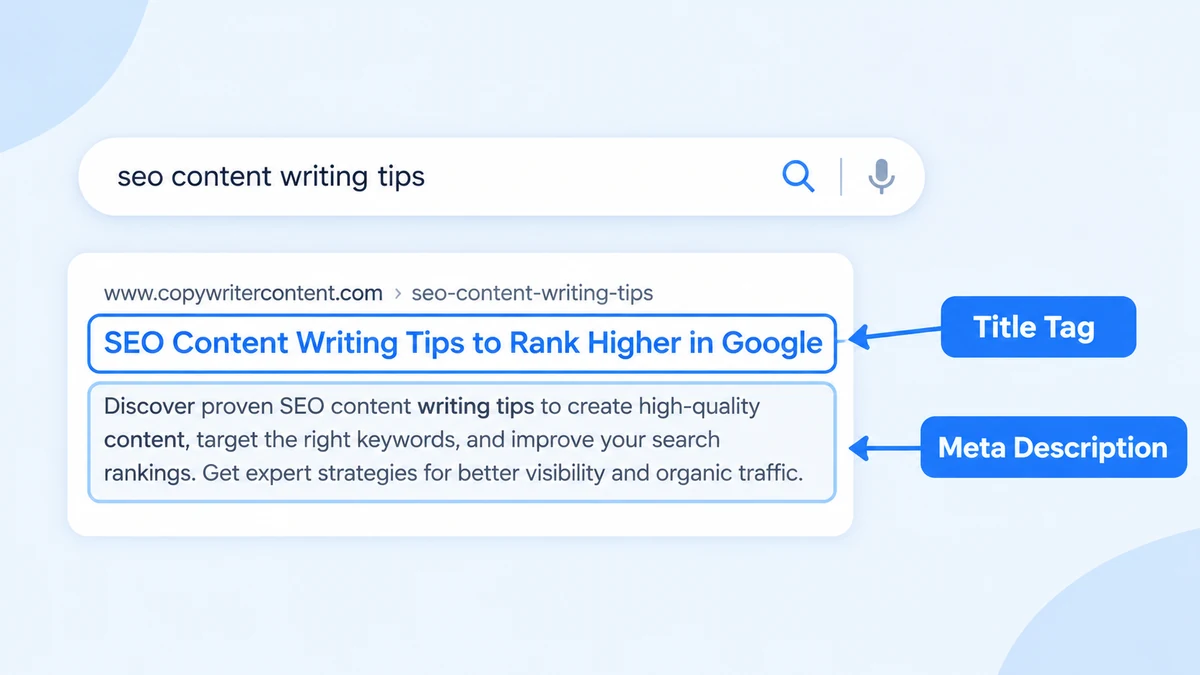
6. What is the difference between a title tag and a meta description?
The title tag is the page’s main label and is used for the title link in results. The meta description is a short summary that Google may sometimes use in the snippet.
7. Can missing meta tags affect SEO?
Yes, they can hurt how your page appears and is understood. Google may create its own title or snippet, which may not match what you wanted.
8. How often should I check website meta tags?
Check after any redesign, migration or big content update, and run a routine site audit regularly, for example monthly or quarterly.
Conclusion
A good meta tag analyzer saves time by showing exactly which pages have weak or missing titles, descriptions and directives. Start with a free option like Screaming Frog or Ahrefs Webmaster Tools, fix the issues you find, and confirm the results in Google Search Console. Keep expectations realistic: better metadata supports your SEO but does not guarantee rankings.

- I’m Saba Sheikh, a self-employed copywriter and SEO content writer specializing in website copy, landing pages, SEO blog writing, product descriptions, and email copywriting. I create search-optimized, conversion-focused content that helps startups, small businesses, and eCommerce brands grow their online presence and attract more customers.