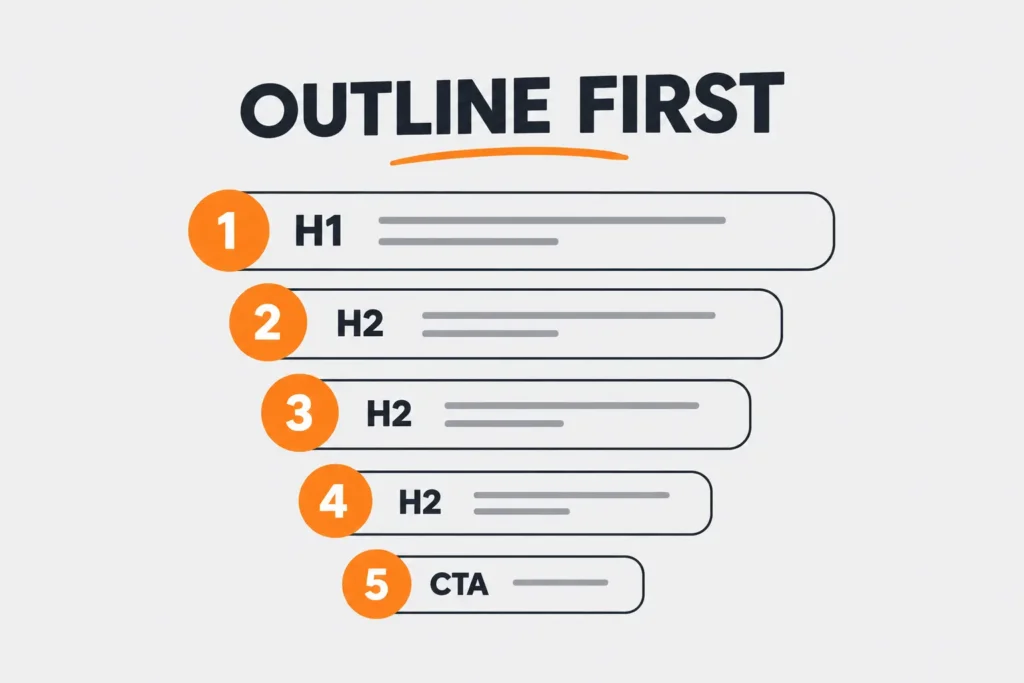
A blog post outline template for beginners solves a problem most new writers share: they skip outlining and go straight to writing, then get stuck halfway through because they haven’t decided what the post is actually trying to prove. The template forces the structural decisions before a single full sentence gets written, so the actual drafting becomes filling in blanks rather than staring at empty space.
Why Outlining Prevents the Blank Page Problem
A blog post outline template for beginners speeds up drafting even though it adds an extra step, because writing without an outline means making two decisions at once for every paragraph: what to say and where it belongs in the overall argument. Separating those decisions, structure first, sentences second, is the whole point. Most people who struggle with outlining aren’t struggling with writing itself, they’re trying to do both jobs simultaneously. Purdue OWL’s guidance on organizing writing makes a similar point: separating planning from drafting is one of the most consistently recommended habits across writing instruction generally, not just for blog content specifically.
Template One: The Problem-Solution Outline
This structure fits how-to guides, tutorials, and most SEO-focused content aimed at someone actively searching for an answer.
| Section | Purpose | Typical Length |
| H1 Title | States the topic and includes the target keyword | One line |
| Intro | Names the reader’s problem in the first two sentences | 50–80 words |
| H2: Why This Happens | Brief context on the root cause | 100–150 words |
| H2: The Fix (Step by Step) | The core solution, broken into numbered steps | 300–500 words |
| H2: Common Mistakes | What goes wrong when the fix is applied incorrectly | 100–150 words |
| FAQs | 4–6 questions addressing related searcher intent | 150–250 words |
| Conclusion | Summarizes the fix and suggests a next action | 50–80 words |
Template Two: The Listicle Outline
This structure fits roundup posts, comparison content, and topics that naturally break into several parallel items.
| Section | Purpose | Typical Length |
| H1 Title | States the number and the topic clearly | One line |
| Intro | Sets up why this list matters right now | 50–80 words |
| H2 per list item | One H2 per item, each with a short explanation | 80–150 words each |
| H2: How to Choose | Helps the reader decide which item fits their situation | 100–150 words |
| FAQs | Addresses edge cases the list itself doesn’t cover | 150–250 words |
| Conclusion | Recaps the top pick or general takeaway | 50–80 words |
Worked Example: Filling In Template One
Take the topic “how to reduce email bounce rate.” Using the problem-solution outline above:
H1: How to Reduce Email Bounce Rate (5 Fixes That Work) Intro: Names the frustration of watching open rates drop because emails never reach the inbox. Why This Happens: Covers the two or three most common technical causes (bad list hygiene, authentication issues). The Fix: Numbered steps: clean your list, set up SPF/DKIM, warm up a new sending domain, monitor bounce reports weekly. Common Mistakes: Buying email lists, ignoring soft bounces until they become hard bounces. FAQs: What’s a good bounce rate benchmark, how often should a list be cleaned, does bounce rate affect deliverability long-term. Conclusion: Recaps the highest-impact fix and points toward ongoing monitoring.
Notice that filling in the outline took roughly the same effort as writing a rough draft, except the structural decisions were already made, which is the entire value of using a blog post outline template for beginners rather than freewriting from a blank document.
Our free Blog Outline Generator can produce a version of either template above automatically from just a topic and target keyword, which is useful for speeding up this exact step.
Choosing Between the Two Templates
When choosing a blog post outline template for beginners, ask what the searcher actually wants. If they’re trying to solve one specific problem, Template One (problem-solution) fits better, since it walks through cause and fix in order. If they’re comparing multiple options or looking for a curated set of ideas, Template Two (listicle) fits better, since it breaks naturally into parallel, scannable sections.
According to HubSpot’s blog writing guidance, outlining before drafting is one of the most consistently recommended habits among high-output content teams, largely because it removes structural decisions from the drafting phase entirely. Backlinko’s content research similarly notes that well-structured, clearly organized posts tend to perform better in search results, likely because both readers and search engines can parse a clear structure faster than an unstructured wall of text. Google’s own guidance on helpful content reinforces this from the search side, noting that content organized around a clear structure tends to satisfy searcher intent more reliably than content that meanders without a defined path.
Once you’ve chosen a topic and structure, our free Blog Topic Idea Generator and Keyword Generator can help confirm the topic has enough related search demand before you invest time writing the full draft. If you’re still building foundational writing skills, the Copywriting Guide for Beginners and SEO Copywriting Guide both cover principles that apply directly to filling in either outline template well.
FAQs
How long should a blog post outline take to create?
For most topics, 10 to 15 minutes is enough using either template above. If it’s taking significantly longer, the topic may be too broad and worth narrowing first.
Should every blog post use one of these two templates?
Not every post fits neatly into one category, but the majority of SEO-focused content aimed at answering a specific search query fits one of these two structures well.
Is it okay to deviate from the outline once I start writing?
Yes. The outline is a starting structure, not a rigid contract. It’s common to discover a better organization partway through drafting, and adjusting is normal.
How detailed should each outline bullet be?
Detailed enough that you could hand it to someone else and they’d understand what that section needs to cover, typically one sentence per bullet rather than a single vague word.
Does using a blog post outline template for beginners help with SEO specifically?
Yes, indirectly. A blog post outline template for beginners builds in a clear structure, and well-organized H2s matching common search sub-questions tend to align naturally with how search engines parse and rank content for featured snippets and related searches.
Conclusion
A blog post outline template for beginners removes the hardest part of writing, deciding what goes where, before you’ve committed to any actual sentences. Pick whichever of the two templates above matches your topic, fill in each section with a sentence or two of intent, and the actual drafting becomes considerably faster and less stressful.

- I’m Saba Sheikh, a self-employed copywriter and SEO content writer specializing in website copy, landing pages, SEO blog writing, product descriptions, and email copywriting. I create search-optimized, conversion-focused content that helps startups, small businesses, and eCommerce brands grow their online presence and attract more customers.